<?xml version="1.0" encoding="utf-8"?><feed xmlns="http://www.w3.org/2005/Atom" ><generator uri="https://jekyllrb.com/" version="3.10.0">Jekyll</generator><link href="https://www.glacier-hub.com/feed.xml" rel="self" type="application/atom+xml" /><link href="https://www.glacier-hub.com/" rel="alternate" type="text/html" /><updated>2025-01-29T07:42:31+00:00</updated><id>https://www.glacier-hub.com/feed.xml</id><title type="html">Shunan Feng</title><subtitle>Studying the science for a changing world! Meet Shunan Feng at glacier-hub.</subtitle><author><name>Shunan Feng</name></author><entry><title type="html">Albedo Inspector</title><link href="https://www.glacier-hub.com/posts/AlbedoInspector" rel="alternate" type="text/html" title="Albedo Inspector" /><published>2022-02-25T00:00:00+00:00</published><updated>2023-03-15T00:00:00+00:00</updated><id>https://www.glacier-hub.com/posts/Albedo-Inspector</id><content type="html" xml:base="https://www.glacier-hub.com/posts/AlbedoInspector"><![CDATA[<p><a href="https://doi.org/10.5281/zenodo.6257894"><img src="https://zenodo.org/badge/DOI/10.5281/zenodo.6257894.svg" alt="DOI" /></a></p>

<p>References:</p>
<ul>
  <li>
    <div class="csl-entry">Feng, S., Cook, J. M., Anesio, A. M., Benning, L. G., &#38; Tranter, M. (2023). Long time series (1984–2020) of albedo variations on the Greenland ice sheet from harmonized Landsat and Sentinel 2 imagery. <i>Journal of Glaciology</i>, 1–16. https://doi.org/10.1017/jog.2023.11</div>
  </li>
  <li>
    <div class="csl-entry">Feng, S., &#38; Cook, J. M. (2023). <i>Remote-Sensing-of-Albedo: Development of harmonized satellite albedo</i>. Zenodo. https://doi.org/10.5281/zenodo.7642574</div>
  </li>
</ul>

<h1 id="albedo-inspector">Albedo Inspector</h1>
<p>This is a tutorial for the web application - <a href="https://fsn1995.users.earthengine.app/view/albedoinspector">Albedo Inspector</a>. 
It allows users to extract time series of albedo and load the albedo maps freely in browser.</p>

<h2 id="1-load-data">1. Load Data</h2>
<p>The time series of albedo can be extracted at any point of interest (poi) by clicking on the map. 
An interactive chart will be displayed in the top left panel and will be updated everytime clicking on a new poi.
The map of both RGB true color composite and albedo can be loaded by selecting time of interest (yyyy-mm-dd). 
A week number is also required to compute the image mosaic. 
This may take a while if the week number is too large. 
A week number of 1 is a good starting point for albedo in July 2014. 
Note that the image is restricted to the current map window.</p>

<p><img src="https://github.com/fsn1995/fsn1995.github.io/blob/master/assets/gif/albedoinspectorLoad.gif?raw=true" alt="load map" height="600px" width="100%" /></p>

<h2 id="2-compare-map">2. Compare Map</h2>
<p>By draging the box under the layers, user may compare the albedo map and the RGB true color composite.</p>

<p><img src="https://github.com/fsn1995/fsn1995.github.io/blob/master/assets/gif/albedoinspectorMap.gif?raw=true" alt="compare map" height="600px" width="100%" /></p>

<p>Large areas in the central Greenland Ice Sheet is blank. This is mainly due to cloud/cloud shaodows mask, L7 ETM+ Scan Line error, data saturation and computational artifacts in the surface reflectance data.</p>

<h2 id="3-export-data">3. Export Data</h2>
<h3 id="export-time-series-data">Export Time Series Data</h3>
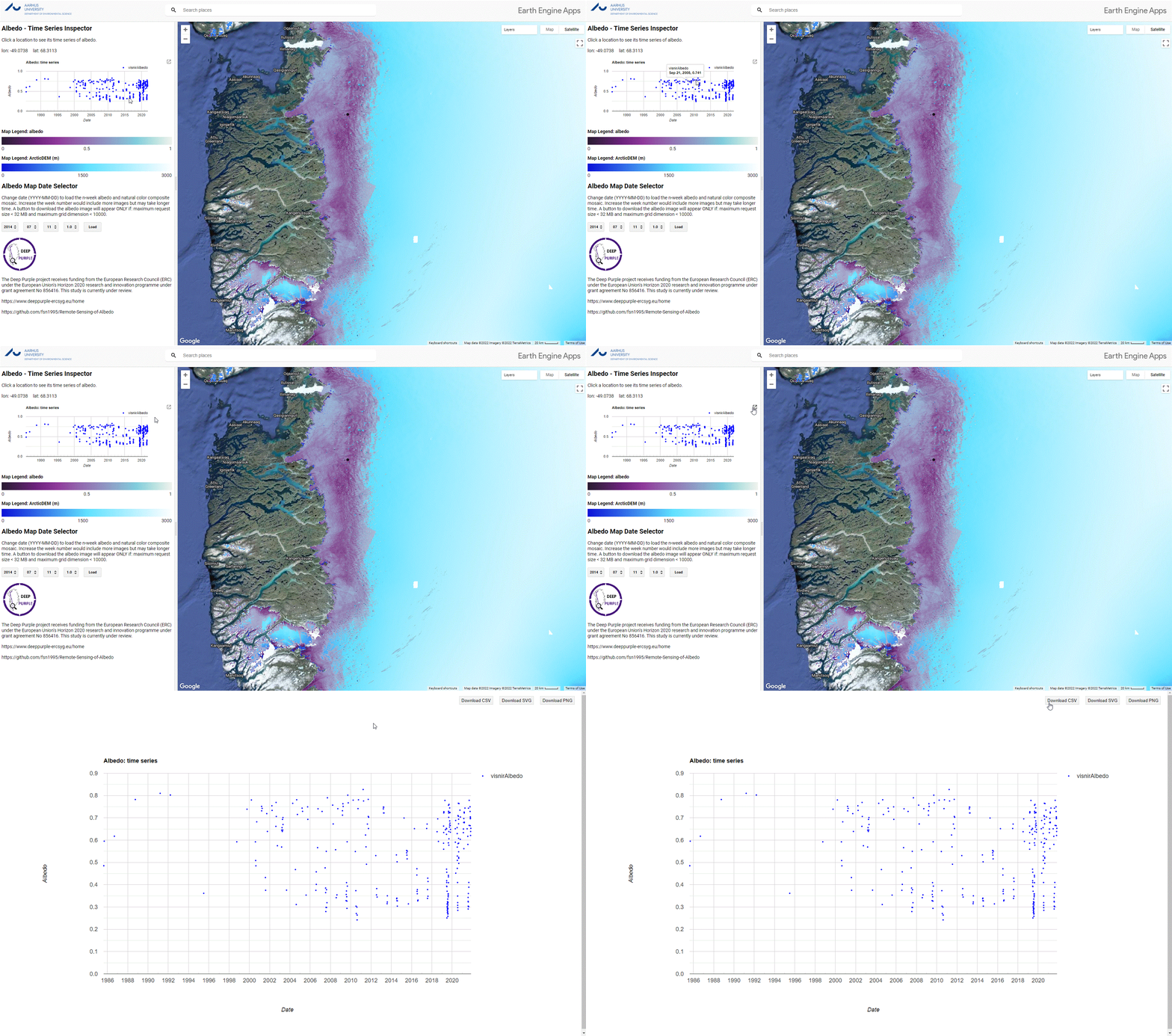
<p>The time series of albedo is displayed as an interactive chart. 
It can be exported as csv as shown in the gif:</p>

<p><img src="https://github.com/fsn1995/fsn1995.github.io/blob/master/assets/gif/albedoinspectorData.gif?raw=true" alt="export time series" height="600px" width="100%" /></p>

<h3 id="export-albedo-map">Export Albedo Map</h3>
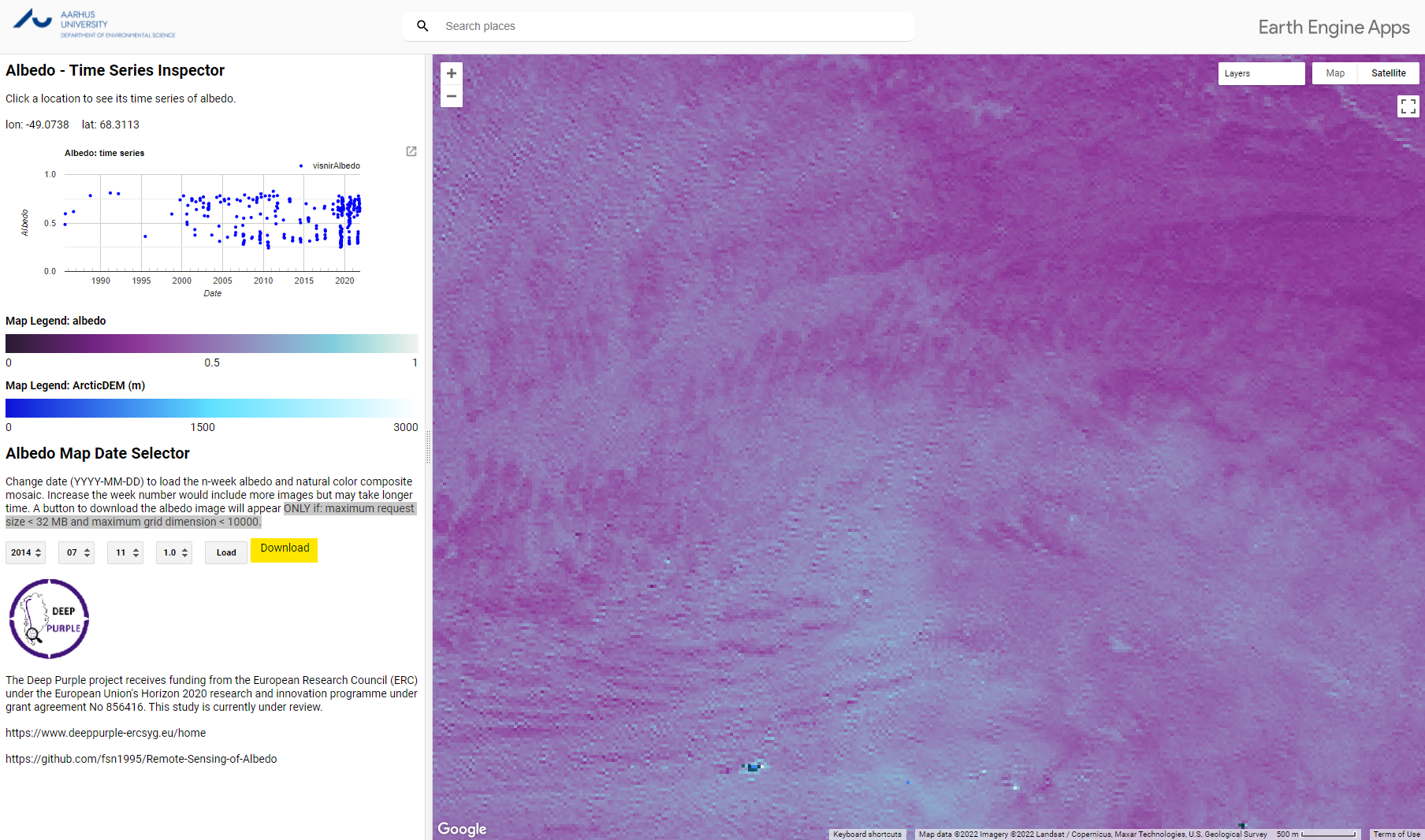
<p>We also support exporting a clip of albedo. 
If the size of current map view window is less than 32MB and grid dimension is smaller than 10000, a button will appear for downloading the albedo map as geotiff format. 
The limitation is due to the <a href="https://developers.google.com/earth-engine/apidocs/ee-image-getdownloadurl">limitation of Google Earth Engine</a>.</p>

<p><img src="https://github.com/fsn1995/Remote-Sensing-of-Albedo/blob/main/media/geeappdownload.png?raw=true" alt="export time series" height="600px" width="100%" /></p>

<p>Hope this is helpful to you. Questions and suggesstions are welcomed!</p>]]></content><author><name>Shunan Feng</name></author><category term="coding" /><category term="google earth engine" /><category term="deep purple" /><category term="glaciers" /><category term="google earth engine" /><category term="GIS" /><summary type="html"><![CDATA[]]></summary></entry><entry><title type="html">GIS at Deep Purple</title><link href="https://www.glacier-hub.com/posts/2021-03-19-GIS-at-Deep-Purple/" rel="alternate" type="text/html" title="GIS at Deep Purple" /><published>2021-03-19T00:00:00+00:00</published><updated>2021-03-20T00:00:00+00:00</updated><id>https://www.glacier-hub.com/posts/GIS-at-Deep-Purple</id><content type="html" xml:base="https://www.glacier-hub.com/posts/2021-03-19-GIS-at-Deep-Purple/"><![CDATA[<p>Make some maps in a simple way. A practical guide for Deep Purple project.</p>

<p><a href="https://github.com/fsn1995/GIS-at-deep-purple">Edit on GitHub <img src="https://github.githubassets.com/images/modules/logos_page/GitHub-Mark.png" alt="Edit on GitHub" width="20" height="20" /></a></p>

<h1 id="01-map-greenland">01 Map Greenland</h1>

<p><a href="https://colab.research.google.com/github/fsn1995/GIS-at-deep-purple/blob/main/01%20map%20greenland.ipynb"><img src="https://colab.research.google.com/assets/colab-badge.svg" alt="Open In Colab" /></a>
<a href="https://nbviewer.jupyter.org/github/fsn1995/GIS-at-deep-purple/blob/main/01%20map%20greenland.ipynb"><img src="https://raw.githubusercontent.com/jupyter/design/master/logos/Badges/nbviewer_badge.svg" alt="nbviewer" /></a></p>

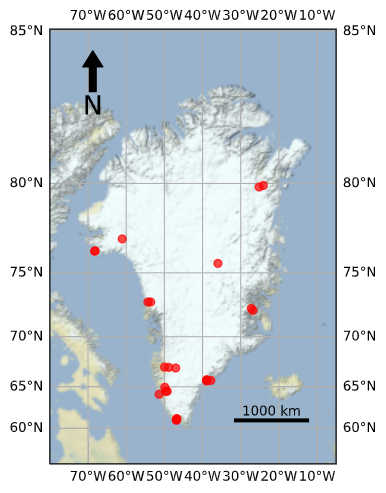
<h2 id="scatter-plot-with-open-street-layer-as-basemap">scatter plot with open street layer as basemap</h2>

<iframe src="https://www.glacier-hub.com/GIS-at-deep-purple/output/01promiceOpenStreetMap.html" height="600px" width="100%" style="border:none;"></iframe>

<h2 id="scatter-plot-with-satellite-data-as-basemap">scatter plot with satellite data as basemap</h2>

<iframe src="https://www.glacier-hub.com/GIS-at-deep-purple/output/01promiceSatellite.html" height="600px" width="100%" style="border:none;"></iframe>

<h2 id="change-map-projection">change map projection</h2>

<iframe src="https://www.glacier-hub.com/GIS-at-deep-purple/output/01promiceChangeProjection.html" height="600px" width="100%" style="border:none;"></iframe>

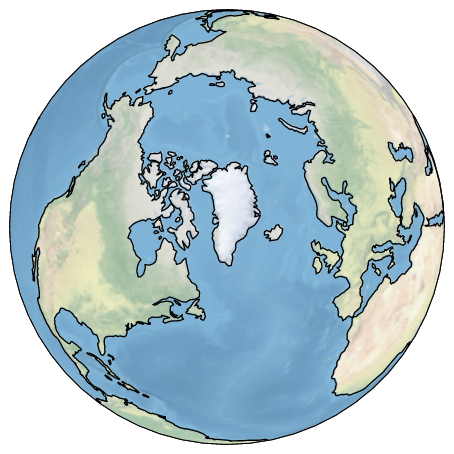
<h2 id="cartopy-projection">cartopy projection</h2>

<p><img src="https://github.com/fsn1995/GIS-at-deep-purple/blob/main/output/01%20cartopyProjection.png?raw=true" alt="cartopy projection" width="300" height="300" />
<img src="https://github.com/fsn1995/GIS-at-deep-purple/blob/main/output/01%20cartopyTerrain.png?raw=true" alt="cartopy projection" width="300" height="300" /></p>

<h1 id="02-map-greenland-on-gee">02 Map Greenland on GEE</h1>

<p><a href="https://colab.research.google.com/github/fsn1995/GIS-at-deep-purple/blob/main/02%20gee%20map%20greenland.ipynb"><img src="https://colab.research.google.com/assets/colab-badge.svg" alt="Open In Colab" /></a>
<a href="https://nbviewer.jupyter.org/github/fsn1995/GIS-at-deep-purple/blob/main/02%20gee%20map%20greenland.ipynb"><img src="https://raw.githubusercontent.com/jupyter/design/master/logos/Badges/nbviewer_badge.svg" alt="nbviewer" /></a></p>

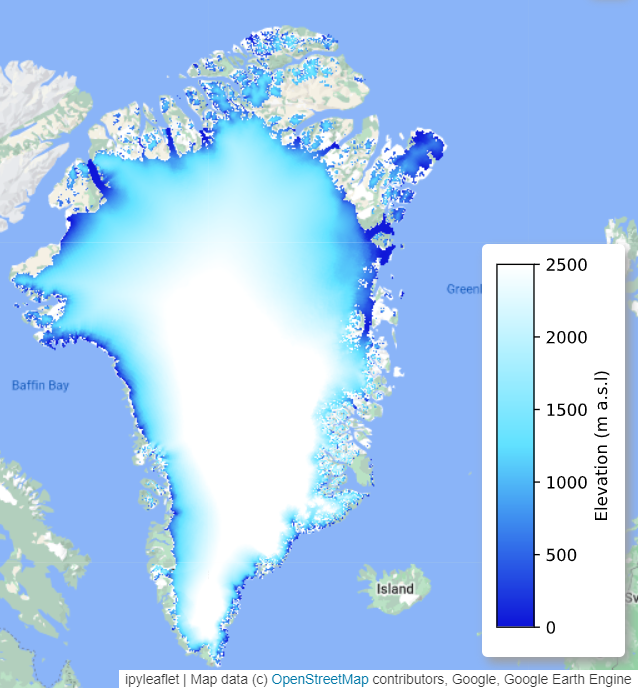
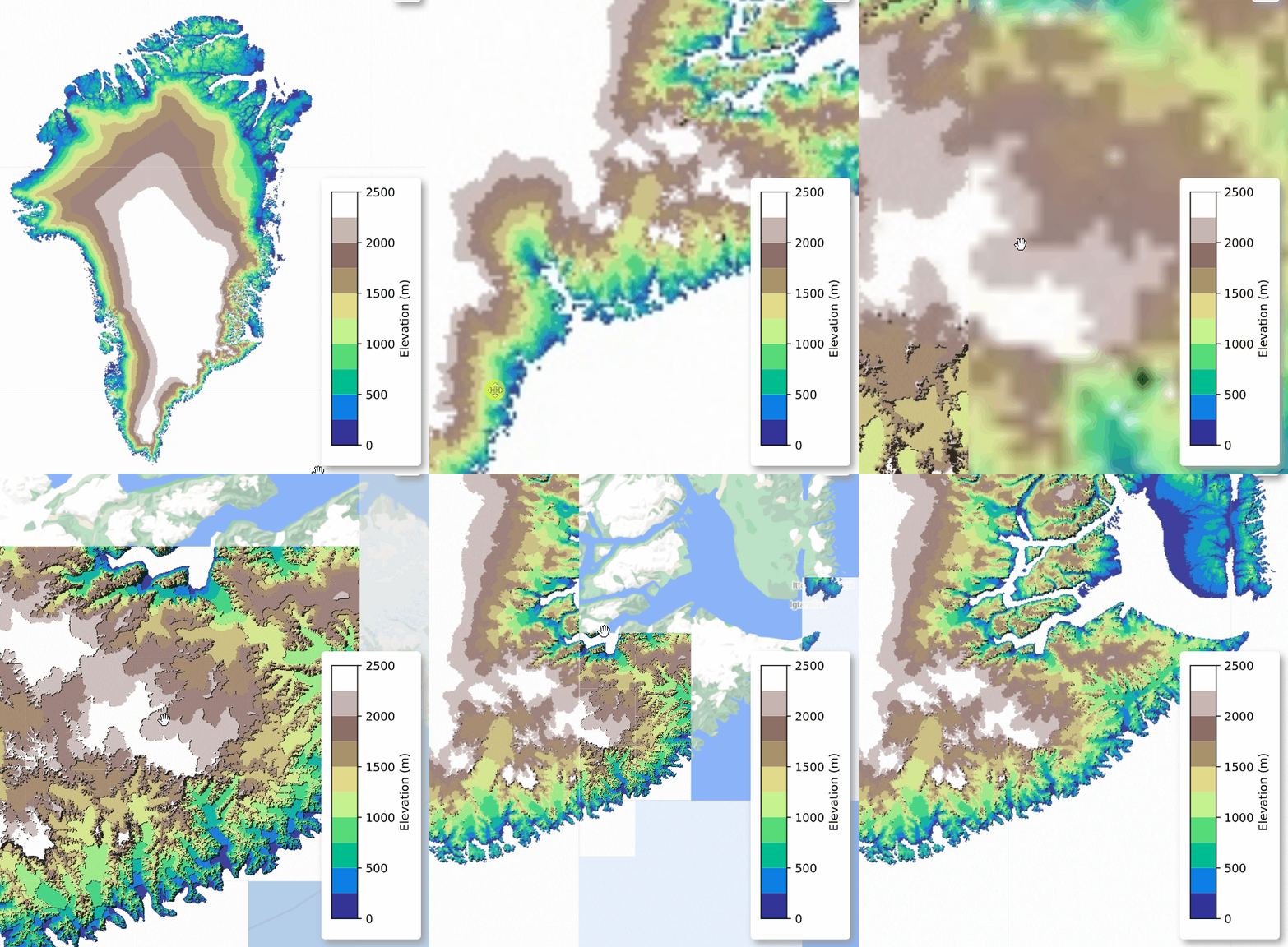
<p>The map tile generated on GEE will expire after 24h, therefore only screenshot is provided below. However a <a href="https://deep-purple-at-gee.herokuapp.com/">webapp deployed on heroku</a> is also availble.</p>

<h2 id="arctic-dem">Arctic DEM</h2>

<p><img src="https://github.com/fsn1995/GIS-at-deep-purple/blob/main/output/02%20Arctic%20DEM.png?raw=true" alt="arctic dem" width="300" height="300" /></p>

<!-- <iframe src="https://deep-purple-at-gee.herokuapp.com/voila/render/02GreenlandContourline_a.ipynb" height="600px" width="100%" style="border:none;"></iframe> -->

<h2 id="arctic-dem-terrain-palette">Arctic DEM Terrain palette</h2>

<p><img src="https://github.com/fsn1995/GIS-at-deep-purple/blob/main/output/02%20Arctic%20DEM%20Contour.gif?raw=true" alt="arctic dem contour" width="300" height="300" /></p>

<!-- <iframe src="https://deep-purple-at-gee.herokuapp.com/voila/render/02GreenlandArcticDEM_b.ipynb" height="600px" width="100%" style="border:none;"></iframe> -->

<p>This page is still under construction. Welcome to contribute on github.</p>]]></content><author><name>Shunan Feng</name></author><category term="coding" /><category term="google earth engine" /><category term="deep purple" /><category term="glaciers" /><category term="google earth engine" /><category term="GIS" /><summary type="html"><![CDATA[Make some maps in a simple way. A practical guide for Deep Purple project.]]></summary></entry><entry><title type="html">Interactive Greenland</title><link href="https://www.glacier-hub.com/posts/2021-03-06-Interactive-Greenland/" rel="alternate" type="text/html" title="Interactive Greenland" /><published>2021-03-06T00:00:00+00:00</published><updated>2021-03-06T00:00:00+00:00</updated><id>https://www.glacier-hub.com/posts/Interactive-Greenland</id><content type="html" xml:base="https://www.glacier-hub.com/posts/2021-03-06-Interactive-Greenland/"><![CDATA[<p>Some interactive visualization of Greenland related dataset.</p>
<h1 id="promice">PROMICE</h1>
<h2 id="promice-aws">Promice AWS</h2>

<iframe id="promiceAWS" src="/assets/interactive_figure/promice.html" seamless="seamless" height="600x" width="100%" style="border:none;"></iframe>

<p>source: https://promice.org/PromiceDataPortal/#Automaticweatherstations</p>

<p>And to be continued.</p>]]></content><author><name>Shunan Feng</name></author><category term="coding" /><category term="python" /><category term="deep purple" /><category term="glaciers" /><category term="python" /><summary type="html"><![CDATA[Some interactive visualization of Greenland related dataset. PROMICE Promice AWS]]></summary></entry><entry><title type="html">An article based Latex template for AU PhD thesis</title><link href="https://www.glacier-hub.com/posts/2021-02-27-phdau-article-based-latextemplate" rel="alternate" type="text/html" title="An article based Latex template for AU PhD thesis" /><published>2021-02-27T00:00:00+00:00</published><updated>2023-12-03T00:00:00+00:00</updated><id>https://www.glacier-hub.com/posts/phdau-article-based-latextemplate</id><content type="html" xml:base="https://www.glacier-hub.com/posts/2021-02-27-phdau-article-based-latextemplate"><![CDATA[<p>A LaTeX template for article based PhD Thesis at Aarhus University. It’s adapted from a template from the University of Oslo.
I am improving it very slowly.</p>

<iframe src="https://nbviewer.org/github/AU-ENVS-PhD/phdau-article-based/blob/master/phdau_article_based.pdf" height="800px" width="100%" style="border:none;"></iframe>

<h1 id="how-to-use-it">How to use it?</h1>
<p>You can download the template at <a href="https://github.com/AU-ENVS-PhD/phdau-article-based/archive/refs/heads/master.zip">GitHub
<img src="https://cdn.icon-icons.com/icons2/692/PNG/512/seo-social-web-network-internet_12_icon-icons.com_61498.png" width="20" />
</a></p>

<p>Or:
<code class="codeblock">git clone https://github.com/AU-ENVS-PhD/phdau-article-based.git</code></p>

<p>Then you could open it either locally or online in overleaf.
Feel free to ask questions if any!</p>

<h1 id="useful-tips">Useful tips</h1>

<ul>
  <li>There’s a project logo (deep purple) at the front page. It can be easily modified to your own project or removed. Change the line 194 in <code class="language-plaintext highlighter-rouge">phdau.cls</code> to your own logo or comment it out.</li>
  <li>Want to have a list of acronyms? Simply add your acronyms to <code class="language-plaintext highlighter-rouge">acronyms.tex</code> and call the acronyms in any chapters by using <code class="language-plaintext highlighter-rouge">\gls{}</code> or <code class="language-plaintext highlighter-rouge">\acrfull{}</code> etc. More can be refered to this <a href="https://www.overleaf.com/learn/latex/Glossaries">tutorial</a>.</li>
  <li>Now it supports displaying orcid id of you or your coauthors if you want. Simply call <code class="language-plaintext highlighter-rouge">\orcid{}</code> and add your orcid number inside. For pdf readers it will have a clickable link to your orcid profile. See the example in <code class="language-plaintext highlighter-rouge">sections\paperI.tex</code>.</li>
  <li>Added new function to display keywords. Simply call <code class="language-plaintext highlighter-rouge">\keywords{}</code> and add your keywords inside. This is because many would like to have a list of keywords at the end of the abstract of the thesis or the papers.</li>
  <li>Possible to change paper size set to A4, but by default is the book format (17 x 24 cm) which looks better. It is intended for pringting.</li>
  <li>Title page resize is disabled in case of longer title is needed.</li>
  <li>\citet and \citep are now default for citing references.</li>
</ul>

<p>This latex template is open source. <a href="https://github.com/AU-ENVS-PhD/phdau-article-based.git">Help me improve it at
<img src="https://cdn.jsdelivr.net/gh/devicons/devicon/icons/github/github-original-wordmark.svg" width="20" />
<img src="https://cdn.icon-icons.com/icons2/2551/PNG/512/external_link_icon_152846.png" width="10" />
</a></p>]]></content><author><name>Shunan Feng</name></author><category term="latex" /><category term="latex" /><summary type="html"><![CDATA[A LaTeX template for article based PhD Thesis at Aarhus University. It’s adapted from a template from the University of Oslo. I am improving it very slowly.]]></summary></entry><entry><title type="html">GEE toolbox for glacier</title><link href="https://www.glacier-hub.com/posts/GEE-toolbox-for-glacier/" rel="alternate" type="text/html" title="GEE toolbox for glacier" /><published>2021-01-27T00:00:00+00:00</published><updated>2022-05-25T00:00:00+00:00</updated><id>https://www.glacier-hub.com/posts/GEE-toolbox-for-glacier</id><content type="html" xml:base="https://www.glacier-hub.com/posts/GEE-toolbox-for-glacier/"><![CDATA[<h1 id="featured-apps-gallery"><a href="https://fsn1995.users.earthengine.app/">Featured Apps Gallery</a></h1>

<iframe src="https://fsn1995.users.earthengine.app/" height="900px" width="100%" style="border:none;"></iframe>

<!-- ## 1 iSeeGlacier


<figure class=" ">
  
  
    <figcaption>A simple tool to browse and compare weekly Sentinel 2 imagery.
</figcaption>
  
</figure>

<details>
  <summary>Click to expand webapp!</summary>
  
<iframe src="https://fsn1995.users.earthengine.app/view/iseeglacier" height="600px" width="100%" style="border:none;"></iframe>
</details>
## 2 Greenland on GEE


<figure class=" ">
  
  
    <figcaption>A simple tool to view Greenland related dataset (dem, MODIS albedo, 24h temperature). It’s still under development
</figcaption>
  
</figure>

<details>
  <summary>Click to expand webapp!</summary>
  
<iframe src="https://fsn1995.users.earthengine.app/view/greenlandongee" height="600px" width="100%" style="border:none;"></iframe>
</details>
## 3. iMakeGif


<figure class=" ">
  
  
    <figcaption>3.1 Animation of monthly remote sensing data on Greenland with gee python api and <a href="https://geemap.org/">geemap</a>.
</figcaption>
  
</figure>


<!-- <iframe src="https://fsn1995.users.earthengine.app/view/iknowalbedo" height="600px" width="100%" style="border:none;"></iframe> -->

<!-- <details>
  <summary>Click to expand!</summary>
  
<iframe src="https://fsn1995.users.earthengine.app/view/iknowalbedo" height="600px" width="100%" style="border:none;"></iframe>
</details>

This page is still under construction. Link to the source code will be available soon. Thanks a lot all the contributors of GEE. -->
<p>–&gt;</p>

<!-- reference: collapsible markdownhttps://gist.github.com/pierrejoubert73/902cc94d79424356a8d20be2b382e1ab -->]]></content><author><name>Shunan Feng</name></author><category term="coding" /><category term="google earth engine" /><category term="deep purple" /><category term="glaciers" /><category term="google earth engine" /><summary type="html"><![CDATA[Featured Apps Gallery]]></summary></entry><entry><title type="html">GitHub Page Archive</title><link href="https://www.glacier-hub.com/posts/2021-01-22-GithubPageArchive/" rel="alternate" type="text/html" title="GitHub Page Archive" /><published>2021-01-22T00:00:00+00:00</published><updated>2021-01-06T00:00:00+00:00</updated><id>https://www.glacier-hub.com/posts/GithubPageArchive</id><content type="html" xml:base="https://www.glacier-hub.com/posts/2021-01-22-GithubPageArchive/"><![CDATA[<p>Here is a link to my old github page and all my projects before 2021.
<a href="http://www.glacier-hub.com/fsn1995.github.io-OLD/">http://www.glacier-hub.com/fsn1995.github.io-OLD/</a></p>]]></content><author><name>Shunan Feng</name></author><category term="coding" /><category term="google earth engine" /><category term="google earth engine" /><category term="CTS" /><category term="matlab" /><category term="python" /><category term="Tarfala" /><summary type="html"><![CDATA[Here is a link to my old github page and all my projects before 2021. http://www.glacier-hub.com/fsn1995.github.io-OLD/]]></summary></entry></feed>